Focus the earnings calendar
Filter by report timing, sort by reaction or surprise, and read the guidance badges at a glance.
The Calendar shows who reports and when, but the real value is in narrowing it to what you care about.
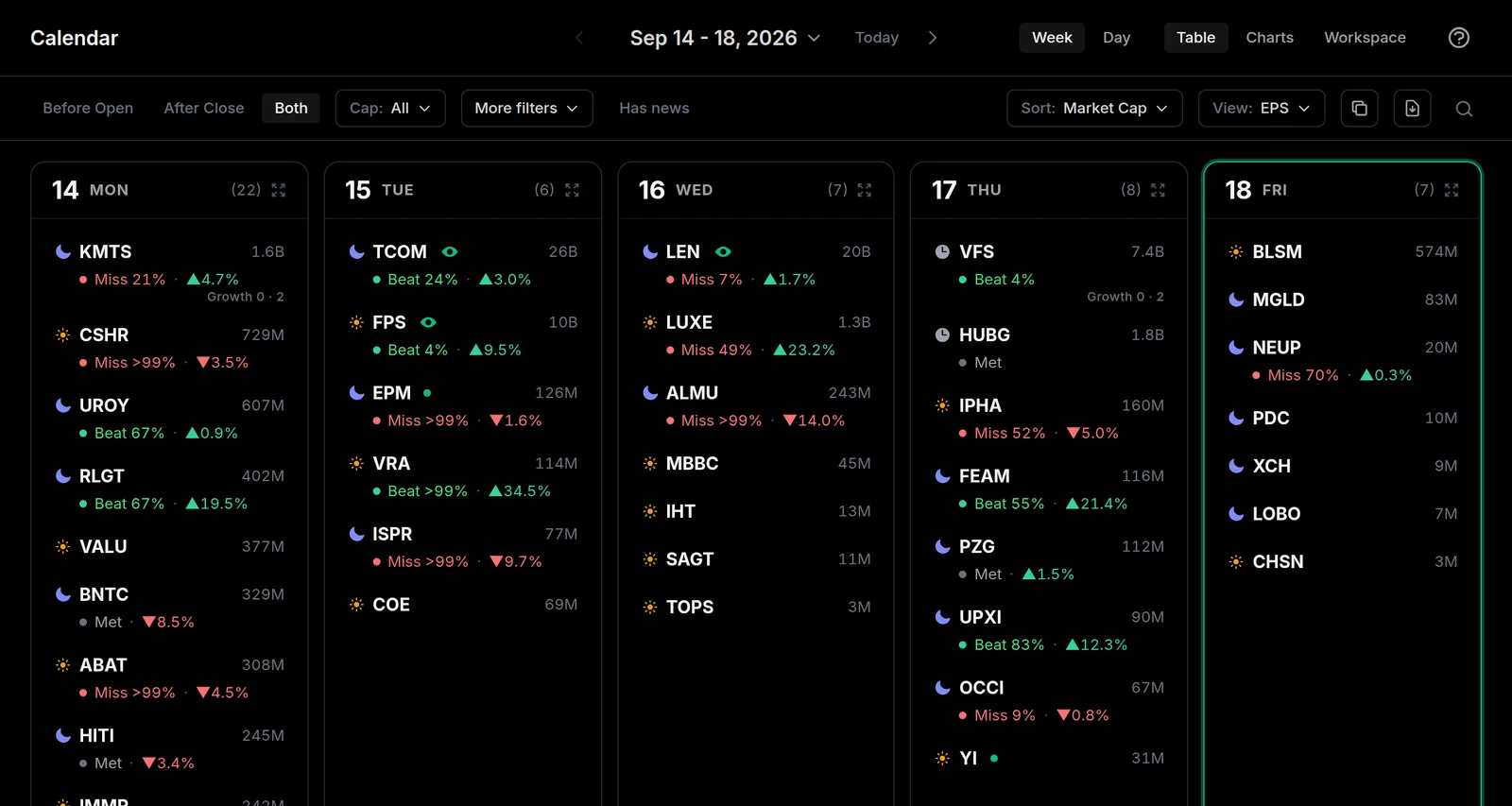
Timing filter
Both shows every report. Before Open and After Close narrow it to one side of the session, so you can prep for the one you actually trade.
More filters
More filters in the toolbar opens a bar with a threshold list for every number in the table. This is what you want in the thick of earnings season, when a single day carries 300 names and you only care about a handful.
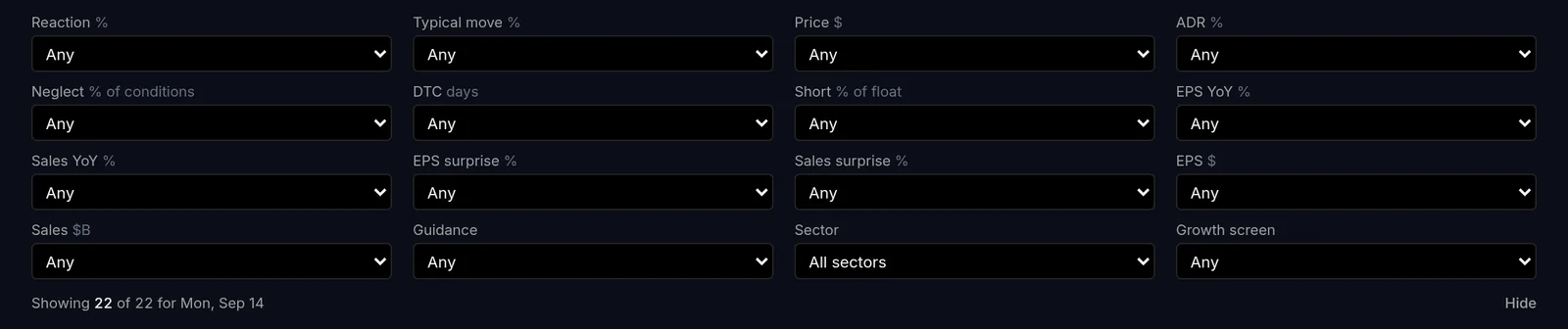
They're ordered the way you'd actually work the day: what the price did (Reaction, and Typical move for scale), then whether there's a story under it (EPS YoY, Sales YoY), then whether the print was any good (EPS surprise, Sales surprise), then Guidance, Sector and the raw EPS and sales figures.
Each list covers both directions. Pick Over 20% under Sales YoY to keep the names growing sales more than 20%, or Missed or in line under EPS surprise to see who came up short. Reaction goes both ways and adds a third: Moved over 5% (either way) is the one to reach for when you just want the day's big movers and you'll judge direction yourself. The thresholds suit the column they sit under, because a 10% revenue beat is enormous where a 10% EPS beat is ordinary.
The bar tells you how many stocks are left as you go, so you can always see what a filter did. A stock with no value for a column you've set is hidden, so filtering on results narrows a day nobody has reported yet down to nothing. Your filters are remembered, and the bar reopens with them.
Market cap isn't in this bar. It has its own Cap control in the toolbar, which covers both large and small (Under 2B is the one to reach for when you're hunting small caps).
Sort and rank
Sort the day by Market Cap, Reaction (how the stock's price moved on the report), Surprise (how far the result beat or missed), or Guidance. Focus on EPS, Sales, or both. Every column heading in the day view sorts too, and What each calendar column means spells out what each one is measuring.
Guidance badges
Each company that gave guidance carries a badge: Raised, Initiated, Reaffirmed, Narrowed, Lowered, and more. It is a fast read on how management feels about the quarters ahead.
You can filter on it too. Under More filters, Guidance narrows the day to companies that raised, that lowered, or that moved their outlook either way - which skips the majority who simply reaffirm or say nothing. Sorting by Guidance floats the raises to the top.
Go deeper
Click any row to expand the details, including the post-earnings reaction and the surprise numbers. Want to be reminded before a name reports? See Watchlist and alerts.